 Giftpin
Guest guide Guests
Give a gift from a registry
without doubling up
How to find a Giftpin registry, buy a gift here or from another store, chip in and avoid duplicates. Bold text is exactly what you'll see on screen.
Find your gift
Most guests arrive with a link. That's all you need.
1
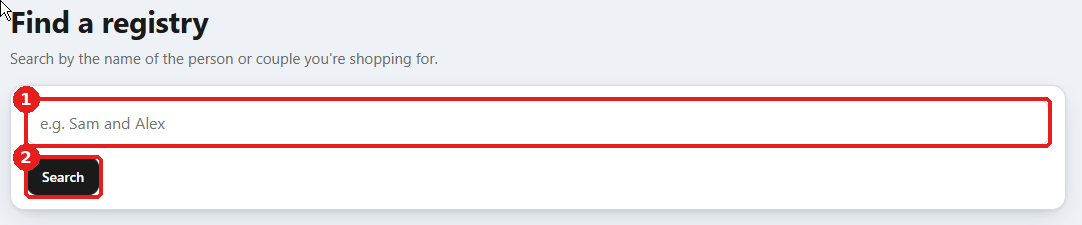
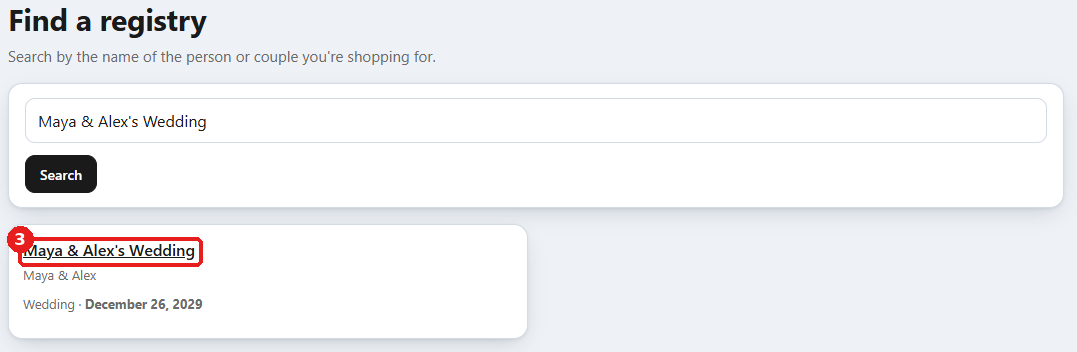
Open the registry
- Open the link the registrant sent you, by text, WhatsApp, email or a copied link. You don't need an account.
- No link? On the store, open the Find a registry page and search by their name. Only registries whose owners chose to be listed show up, and not every store offers this. If two match, check the names and the date before you choose.
- To find it, type the registry's name exactly as it appears in the email you received from the registry creator, with the same spelling and punctuation ("Sam & Alex" won't match "Sam and Alex"). Capital letters don't matter.
2
Choose a gift
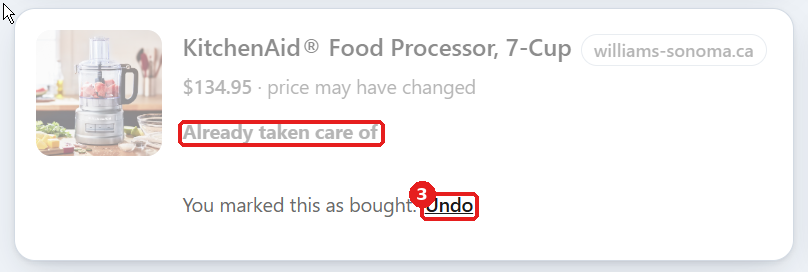
- Each gift shows its price and how many are still needed. A gift that's finished is marked Already taken care of.
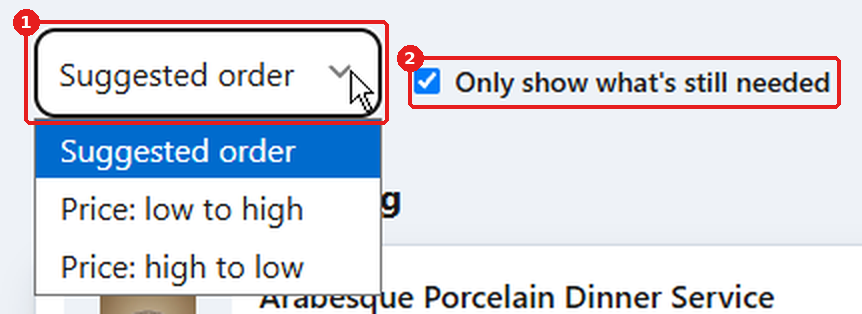
- Use Sort to order the list by price, or tick Only show what's still needed to hide what's already done.
Give it
Buy it where it's sold. Giftpin keeps the list up to date for everyone.
1
Buy a gift from this store
- Choose a Quantity, press Add to cart, then Check out →, and pay as usual. The registry updates by itself.
- If the registrant lets guests ship to them, you'll see Where should your gift go?: choose to ship to them or Send to me. Their address stays private. Checkout still asks for yours, and we swap in theirs after you order, as long as you're in the same state or province.
2
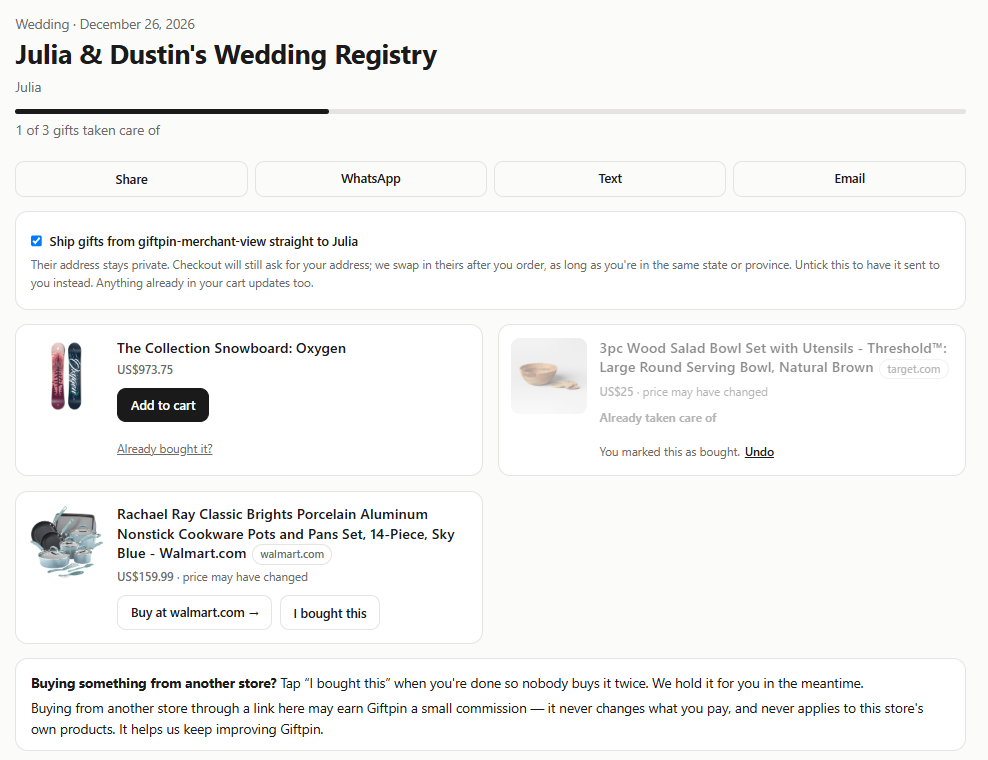
Buy a gift from another store
- Follow the gift's link to the other store and buy it there. Giftpin holds the gift for you for about two hours while you shop, so nobody else is sent to buy it.
- Come back and press I bought this. If you don't, the gift goes back on the list when the hold runs out.
- Only use that button for gifts you got another way, like in a shop. Orders placed through the registry are counted automatically. Marked one by mistake? Press Undo.
3
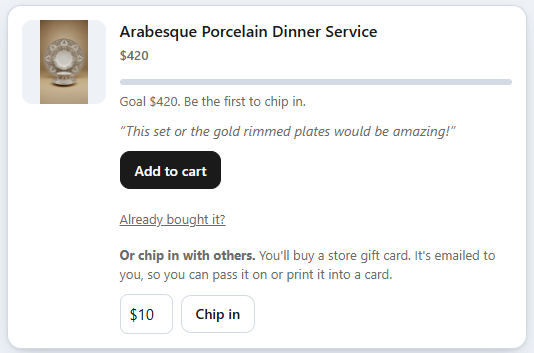
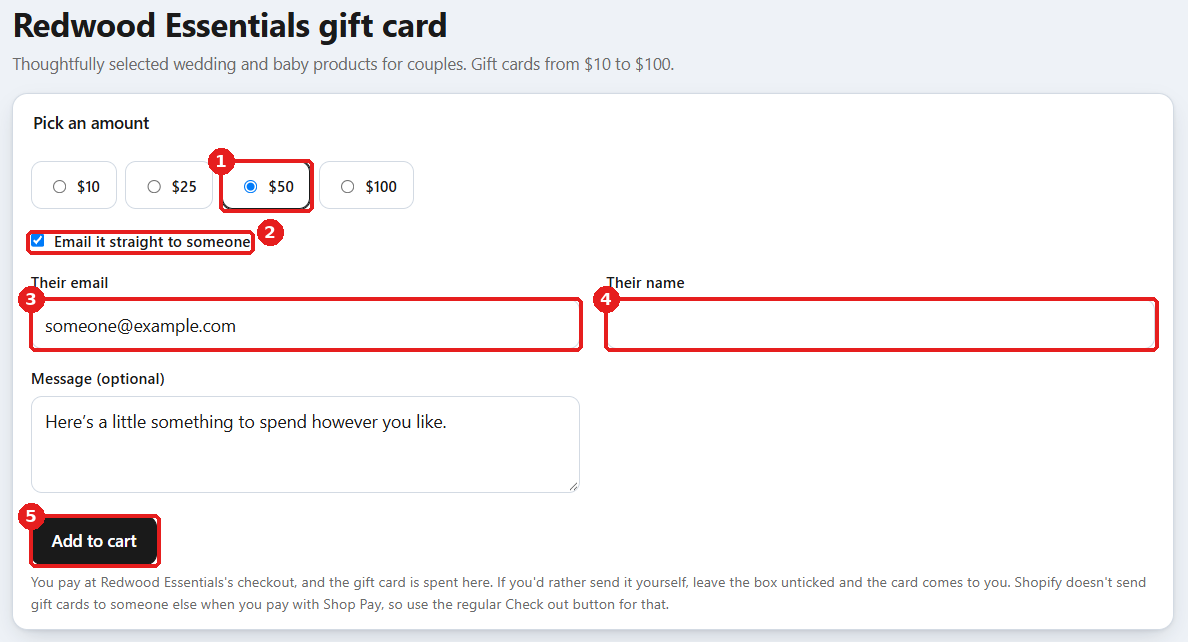
Chip in or give a gift card
- For a big gift or a cash fund, choose an Amount, add a message if you like and press Chip in. You pay at the store's checkout and buy a store gift card, which is emailed to the registrant or to you, depending on how they set it up. If it's emailed to the registrant, use the Check out button, not Shop Pay.
- To give a gift card instead, open the store's gift card page from the link at the bottom of the registry, pick an amount and add it to your cart. Tick Email it straight to someone to have it emailed to someone with a message. Shop Pay can't send a gift card to someone else, so use the regular checkout button for that.
Good to know
A few things that make it easier.
1


Reminders and sharing
- If the store offers it, enter your email and press Remind me. We'll email you once, about two weeks before the event.
- Press Share to send the registry to someone else. Items from other stores can change price or sell out after they were added: look for price may have changed and out of stock.
Common questions
Do I need an account to buy a gift?
No. You only need the registry link, and you pay at the store's checkout like any other order.
Why does a gift say someone may be buying it?
Another guest followed the link to buy it. Giftpin holds it for a short time and puts it back on the list if they don't finish.
Does Giftpin earn money from links to other stores?
Links to other stores may earn Giftpin a small commission or fee. It never changes what you pay, and it never applies to this store's own products.